
26 September 2026
release 09-26-26Scanned business cards now draft their own intro email, every brand can carry a matching logo for light and dark backgrounds, brand colour fields accept a hex code with or without the #, and LinkedIn Reels is now available.
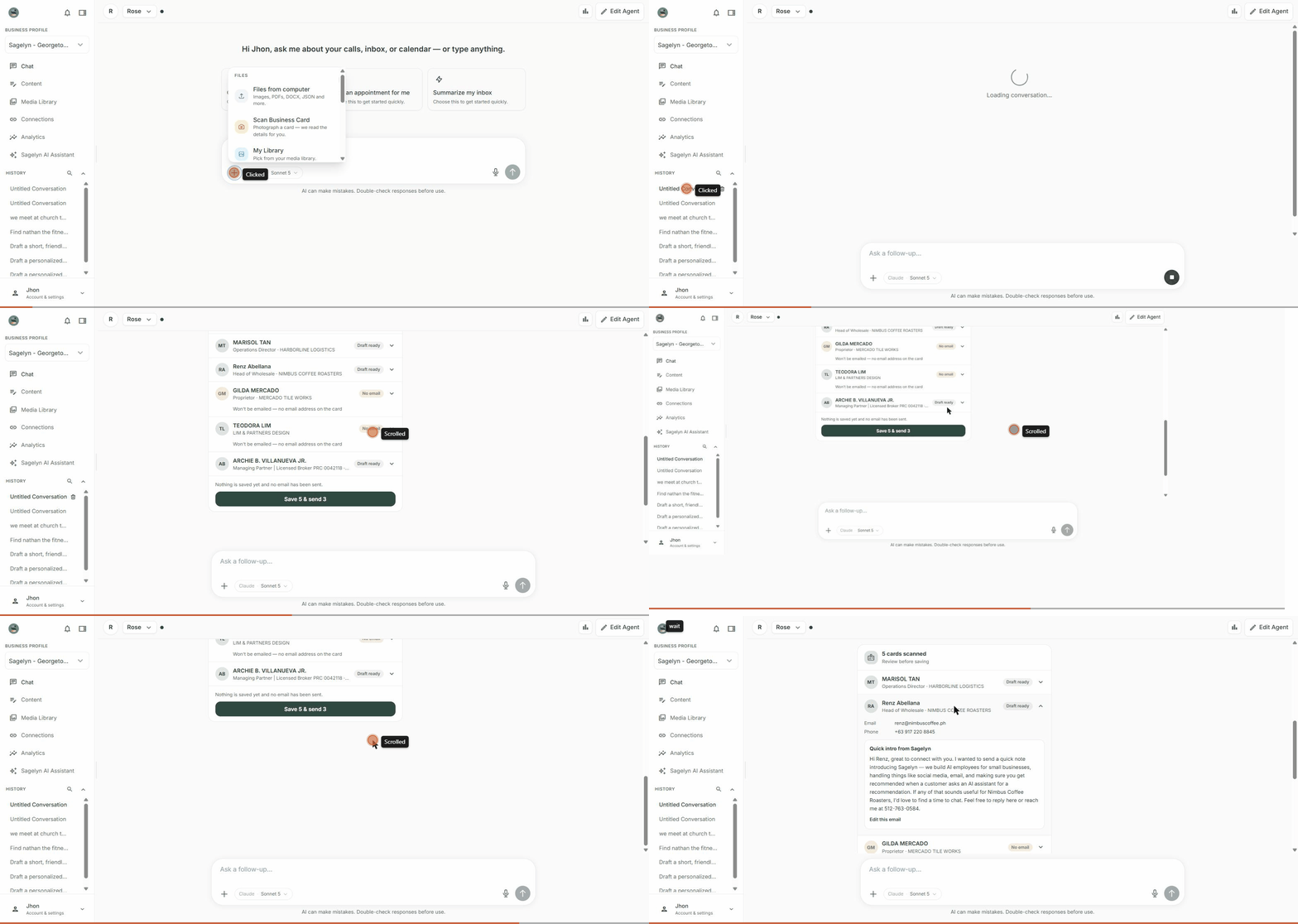
Scanned business cards now draft their own intro email New
Scan a stack of cards and the AI Receptionist reads every one, then drafts a short intro email in your voice for each contact — tell it what to emphasize (a rate, an event, a meeting recap) and it writes accordingly. Prefer to talk instead of type? Dictate the card's note instead of typing it.
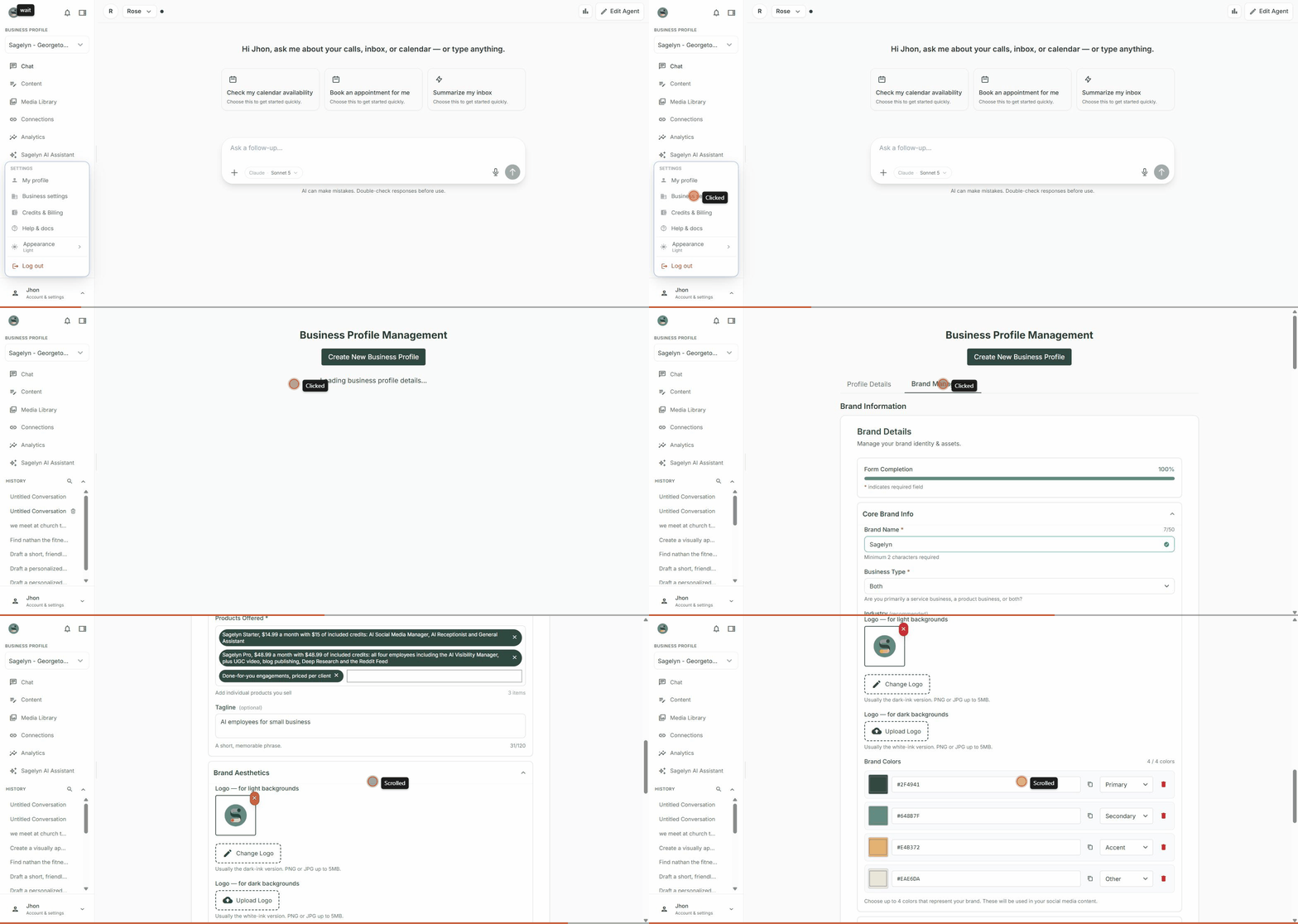
One brand, two logos — light and dark New
Brand Management now has separate slots for a logo made for light backgrounds and one made for dark backgrounds, so your mark looks sharp wherever it lands — a printed card or a dark app theme.
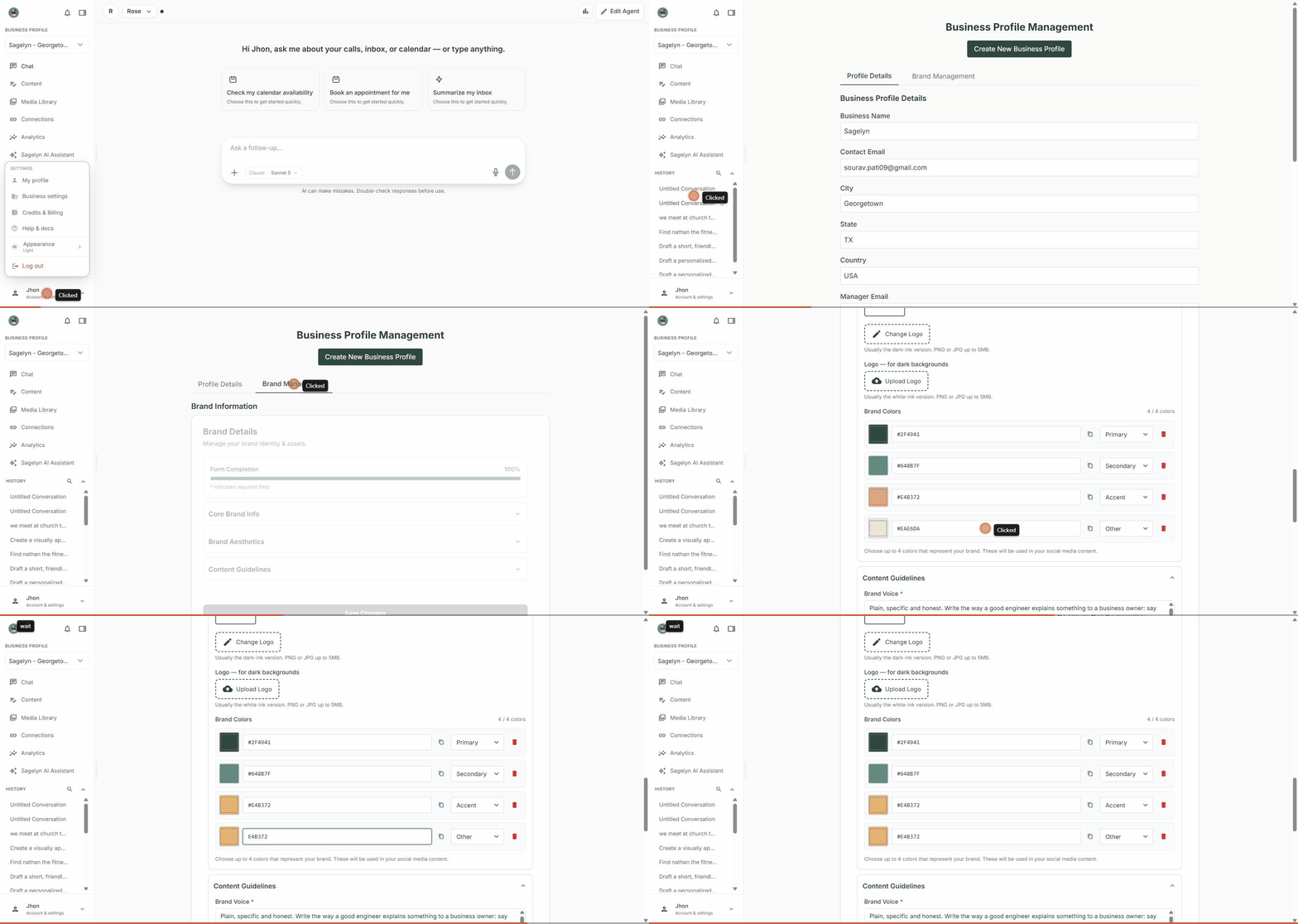
Brand colours now accept a hex code without the # Fixed
Typing a hex value like E4B372 into a brand colour field used to get silently ignored. It now works exactly like #E4B372 — the swatch updates live as you type, and the field corrects itself the moment you click away.
- LinkedIn Reels is now available. From creating a video, you can now publish that video straight to LinkedIn as a Reel.
- Deleting a Brand could leave its connected GoHighLevel sub-account tied to the deleted Brand forever, blocking any other Brand from ever connecting it. Deleting a Brand now frees that connection up correctly.
- The AI Receptionist could fall back to a shared GoHighLevel connection instead of your Brand's own. It now always uses your Brand's own connected account.