
6 November 2026
release 11-06-26Add your own music to your videos, ask for more than 10 social posts and get them 10 at a time, attach large PDFs in chat, Grok and DeepSeek in the model list, agents on newer Claude models, Bulk Images charged for each image it makes, and fixes for failed image requests, duplicate AI Receptionists and being signed out after an hour away.
Add your own music to your videos New
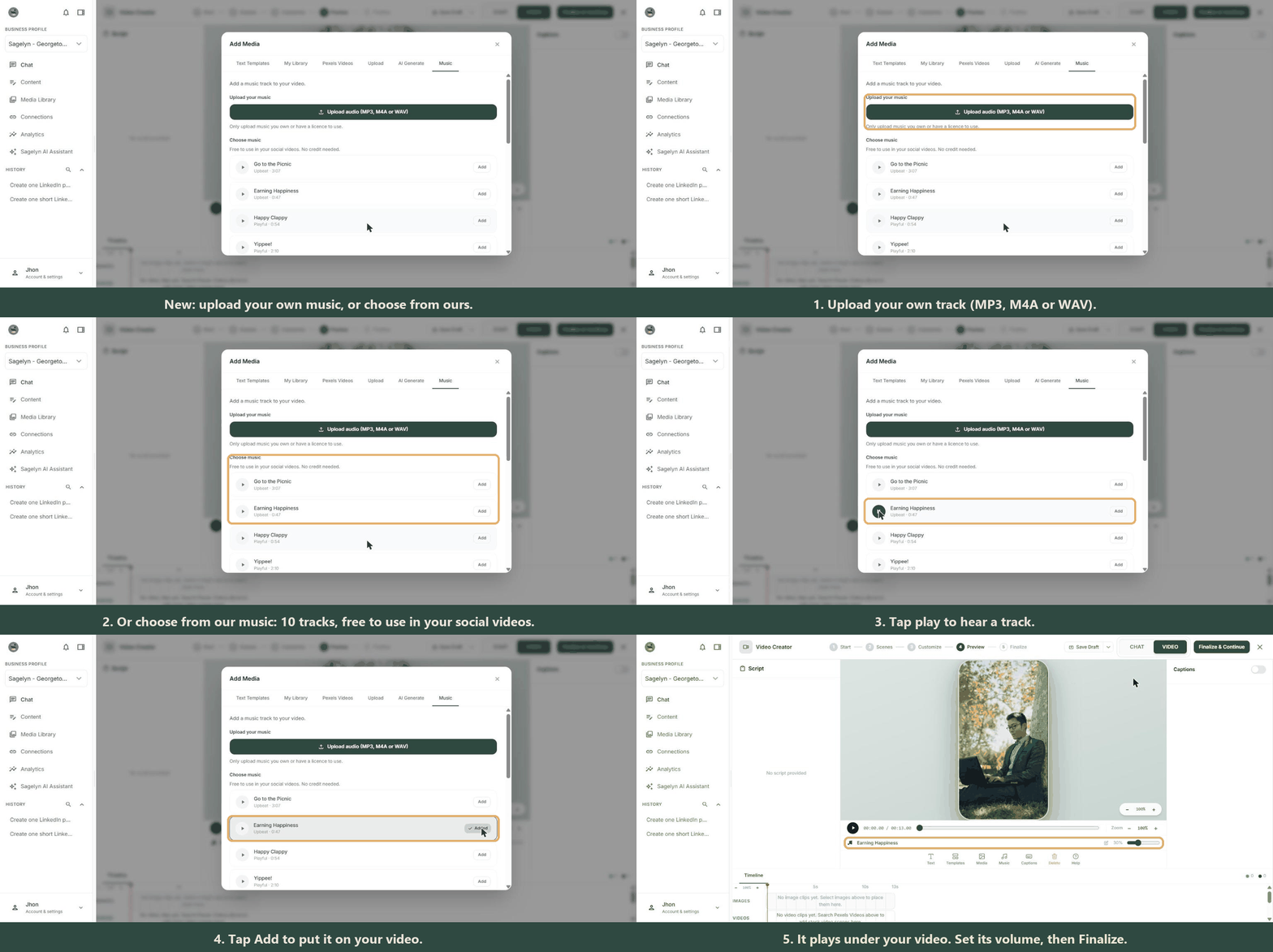
In the video editor, open Music and choose Upload audio to add a track of your own: an MP3, M4A or WAV file up to 30 MB and 10 minutes long. Use Start music at to bring it in a few seconds into the video, and the Volume slider to keep it under the voice. You can also paste a link to a track, or choose No music. Or pick a track under Choose music: 10 tracks that are free to use in your social videos, with a play button to hear each one first. The track is saved with your draft.
Only upload music you own or have a licence to use.
Ask for more than 10 posts and get them 10 at a time Fixed
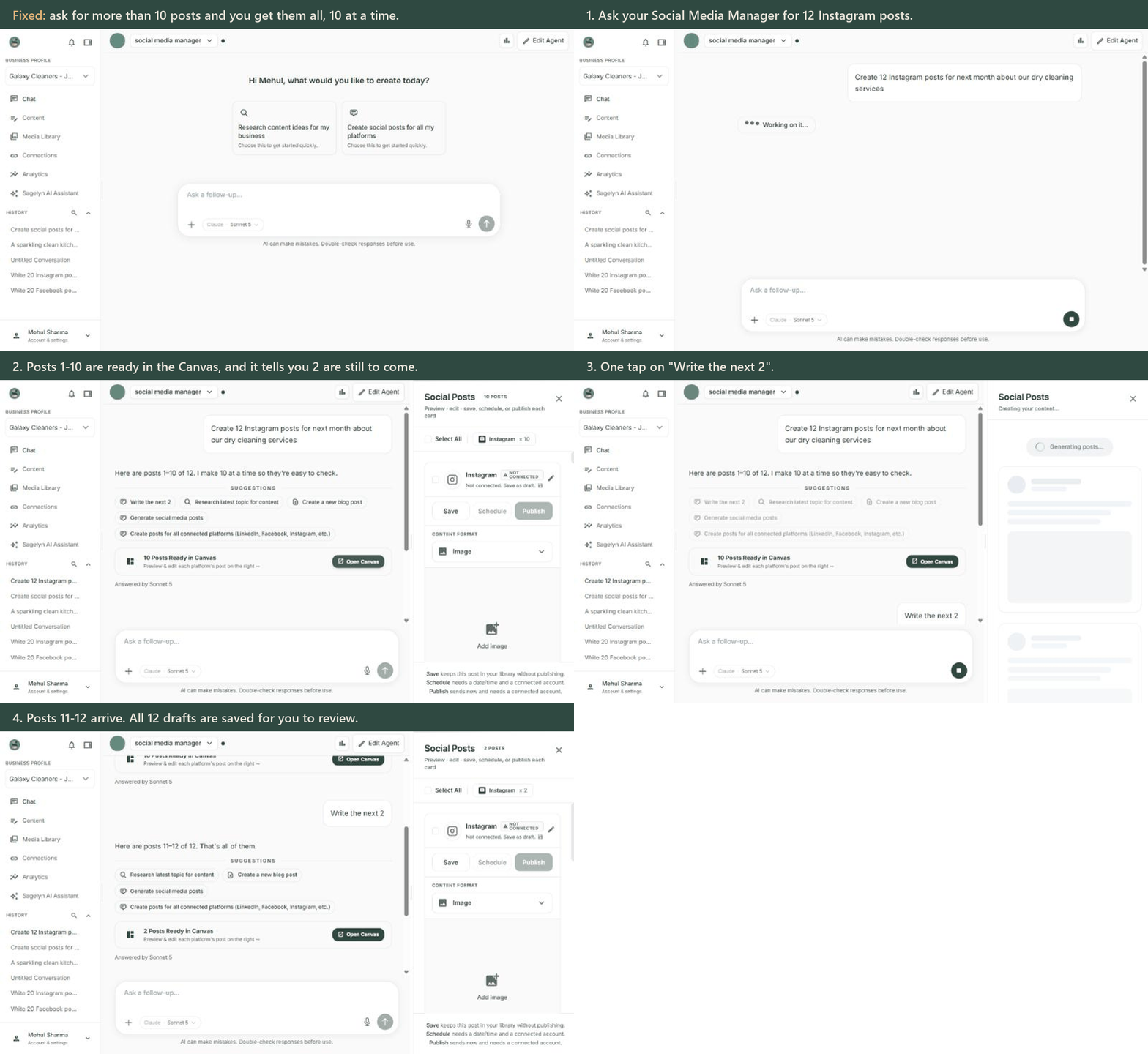
Asking your Social Media Manager for more than 10 posts at once could return nothing while it said they were on the way. Now the first 10 arrive straight away, with a line like Here are posts 1–10 of 12, and a button underneath to write the rest, such as Write the next 2. Tap it to get the next batch, without repeating a post you already have. Every post is saved as a draft for you to review.
Bulk Images is charged for each image it makes Fixed
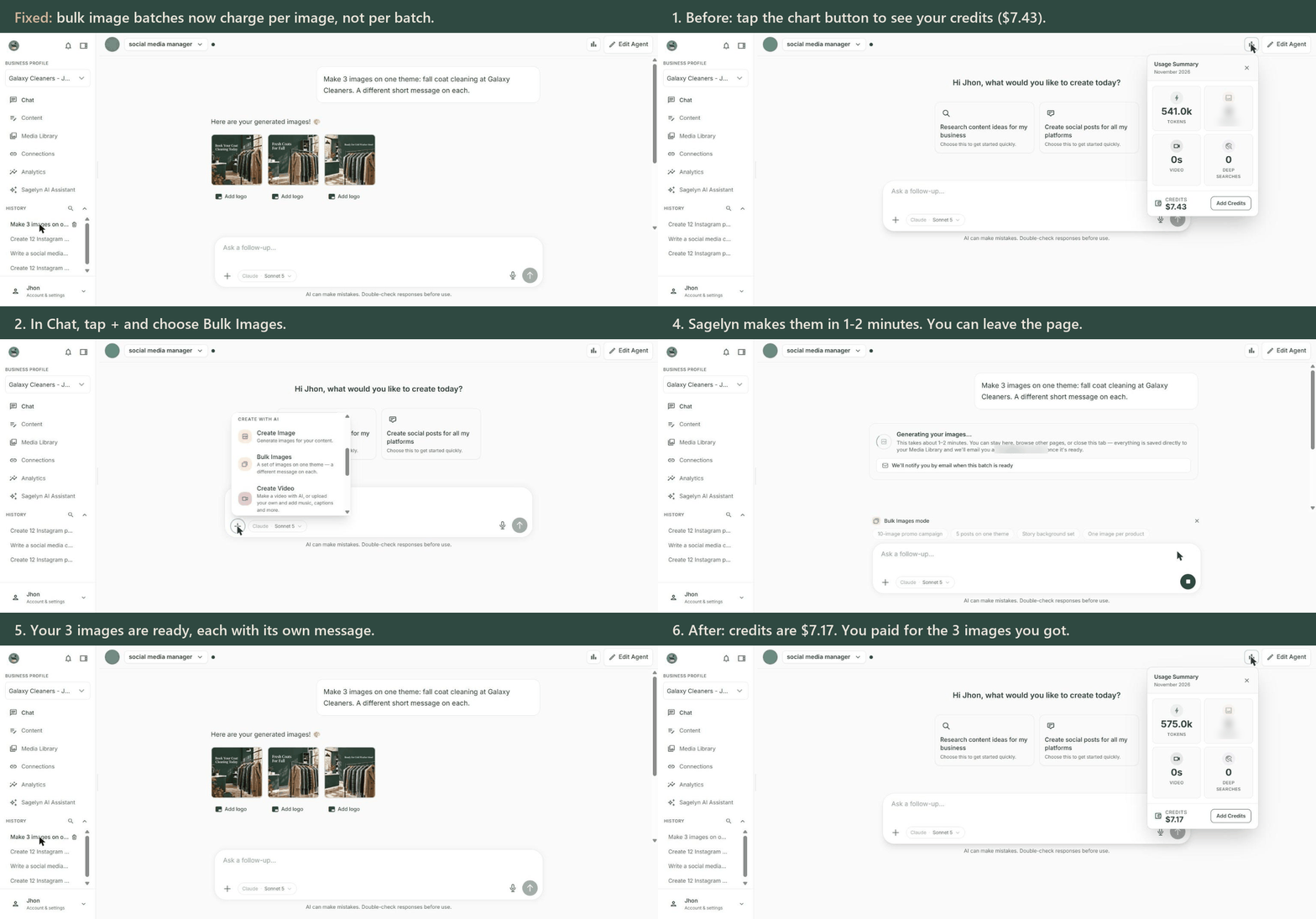
Bulk Imagescould refuse to start even when your balance was enough, because its estimate was worked out wrong. If your balance can't cover a batch, the check now tells you in dollars what the batch needs and what your balance is. A batch is now charged for each image in it, the same as making the images one at a time. Before, a whole batch was charged as if it were one image.
Attach a large PDF in chat New
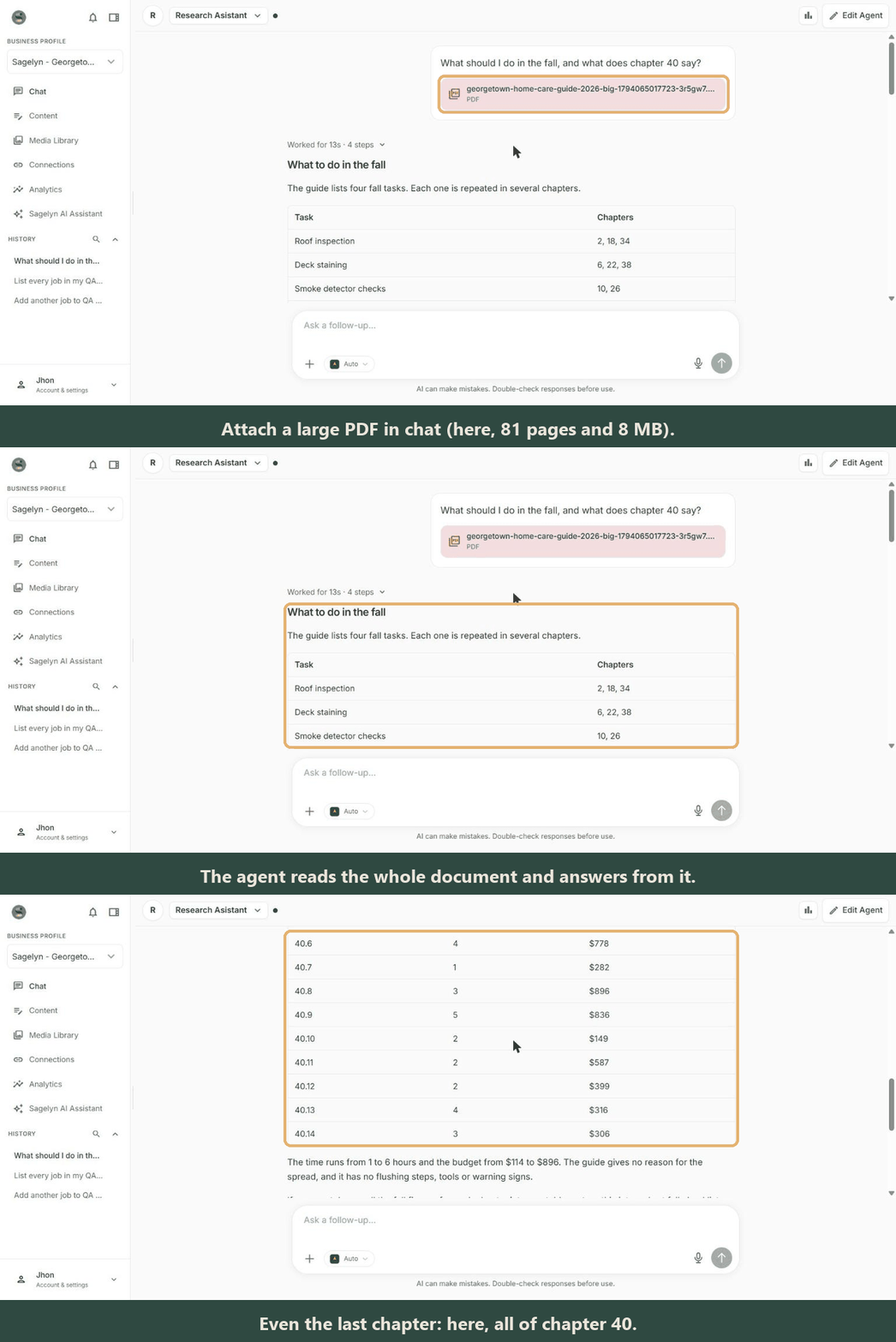
Attach a PDF to a chat message and your agent reads it and answers from it, even a long document like a price list, a handbook or a report. The file is saved privately in your Media Library, so it doesn't slow the conversation down later. If a document is too long to read in one go, the agent reads as many pages as it can and tells you which pages it couldn't see.
Grok and DeepSeek in the model list New
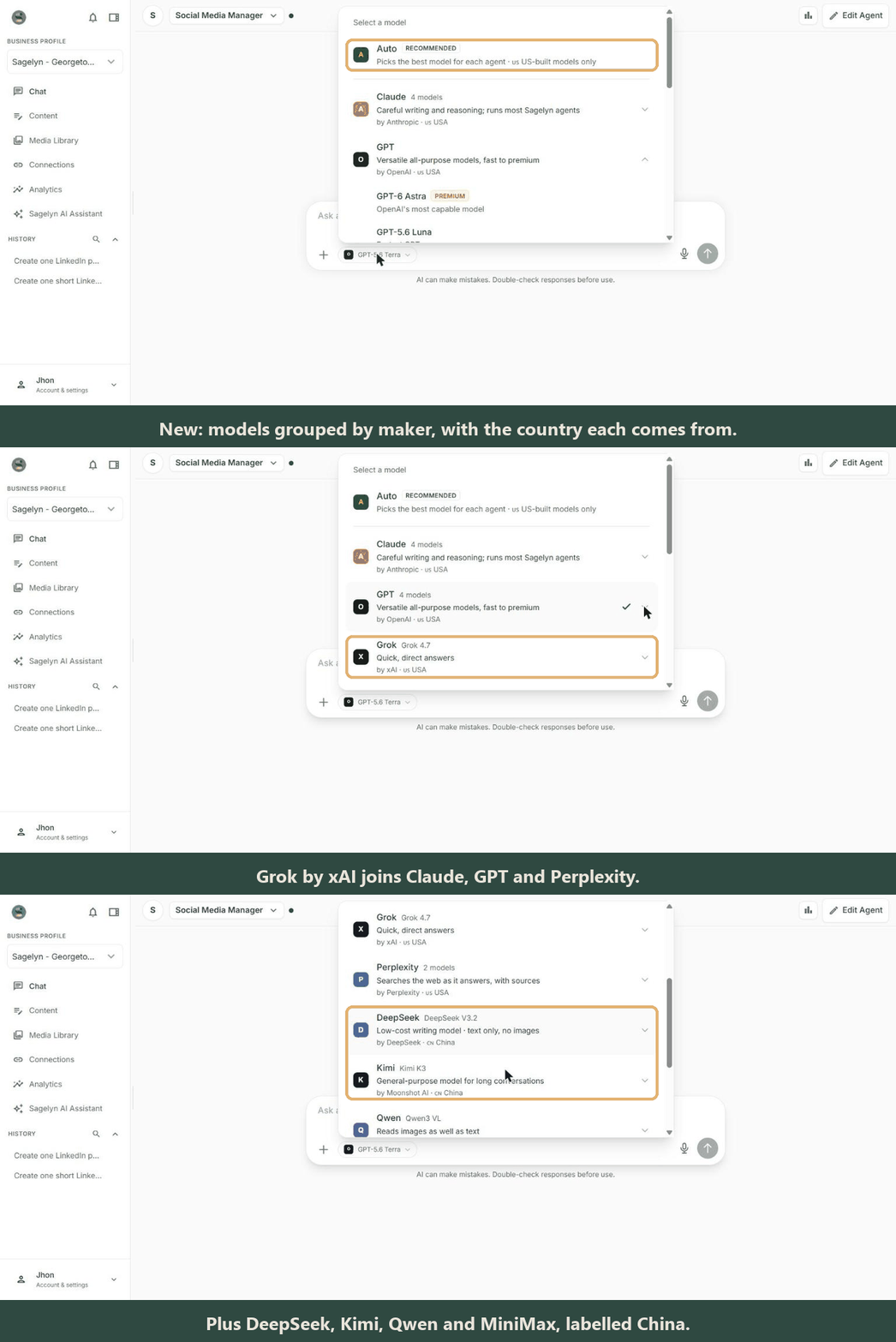
Click the model name next to the message box: models are now grouped by maker, each showing the country it comes from. New this week are Grok by xAI, and DeepSeek, Kimi, Qwen and MiniMax, labelled China. DeepSeek reads text only, not images. Auto, at the top of the list, only ever picks US-built models.
Your agents run on newer Claude models Improved
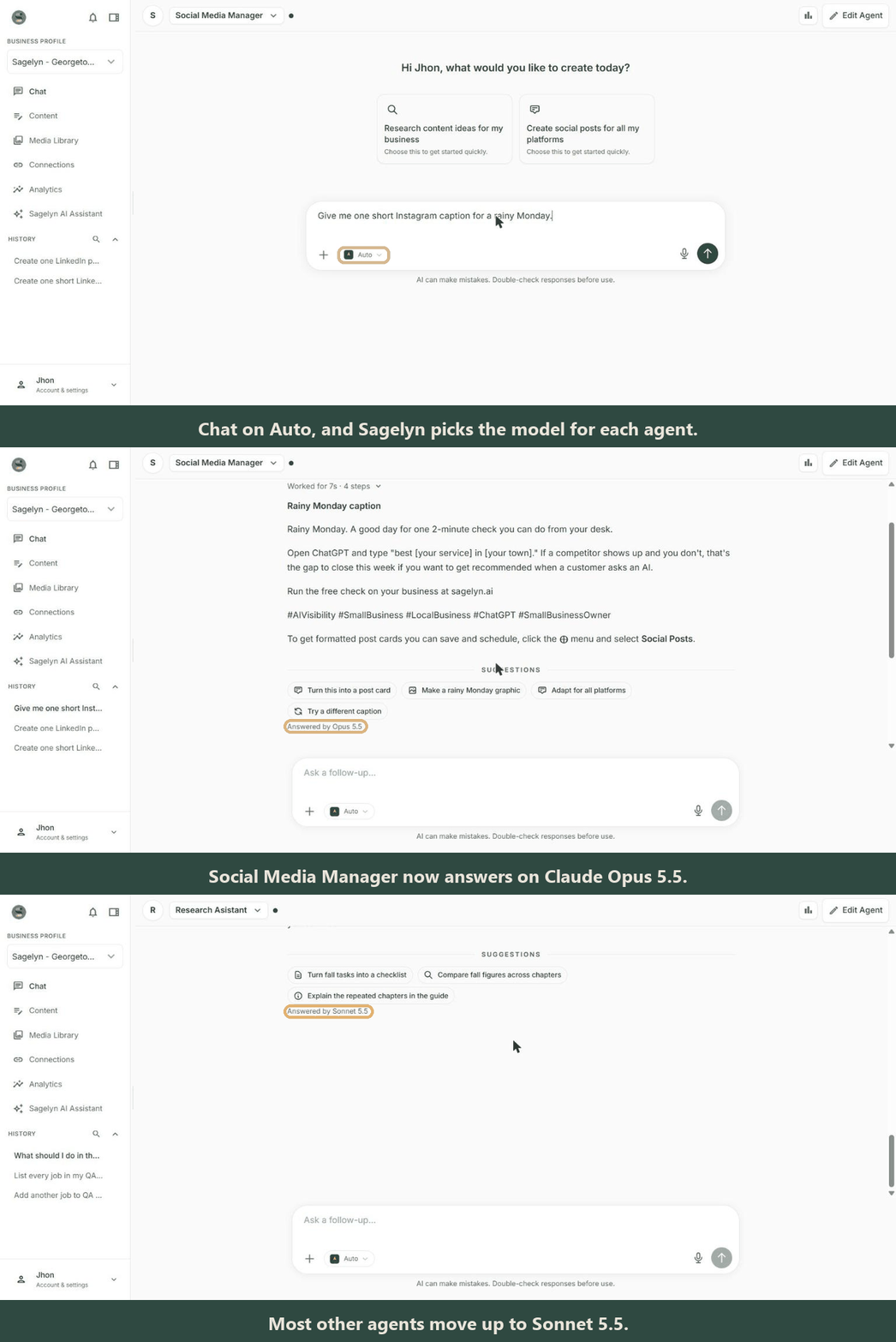
Auto, first in the model list, picks the model for each agent. On Auto, the Social Media Manager and the AI Visibility Manager now answer on Claude Opus 5.5, and other agents on Claude Sonnet 5.5, which replaces Sonnet 5. Agents that were on Sonnet 5 now start on Auto; an agent you set to a different model keeps it. Each reply still says which model answered it, for example Answered by Opus 5.5.
- A failed image request now says why. When an image couldn't be made, the chat said Here are your generated images! over an empty space. Now it shows No images this time, or Not enough credits with an Add credits link when your balance ran out.
- One AI Receptionist each time you create one. Choosing Email and SMS together made two Receptionists with the same name. You now pick Email or SMS, and each Receptionist's card shows its channel, for example AI Receptionist · Email. For both, create a second Receptionist with its own name.
- No more signing in again after an hour away. Leaving Sagelyn open for an hour, or waking your laptop, could sign you out. If the connection drops for a moment, Sagelyn now reconnects on its own and you stay signed in. You're only asked to sign in when you really need to.